
Most travel apps are downloaded in a panic at the departure gate and deleted three weeks after you get home. The ones worth keeping are the ones that solve a real problem — before you land, while you’re lost, and when your bank card gets declined at a restaurant in Lisbon.
This guide covers 17 apps across seven categories, chosen because they work in practice, not just in App Store screenshots. Some are obvious. A few aren’t. All of them earned their spot on the list by being genuinely useful when it counts.
Why the Right App Stack Actually Matters
Over 900 million people now use mobile travel apps regularly, and more than 70 percent of all online travel activity happens on smartphones. That’s not a trend — it’s the new baseline. What matters is not whether you use apps, but which ones you carry and whether you’ve set them up properly before you leave.
The real-world problem is this: most travelers download too many apps, use three of them, and spend the rest of the trip battling a sluggish phone and a dying battery. A tight, well-configured stack — one primary app per category, all preloaded for offline use — beats a bloated phone every time. The mistake most people make is treating app selection as something to sort out at the destination. By then, you’re already scrambling.
AI is changing the planning side of travel faster than most people realize. Around 20 percent of travelers now use AI tools to plan trips, with another 31 percent planning to try it. That’s worth knowing when you’re picking a planning app — the ones with built-in AI routing are already ahead of where the others are heading.
How to Build a Travel App Stack That Doesn’t Slow You Down
Before installing anything, be honest about your travel style. A solo backpacker doing a six-country overland trip needs completely different tools than a couple booking a one-week resort holiday. One primary app per category is the rule. Two apps doing the same job just means double the logins and double the confusion when you’re tired and need an answer fast.
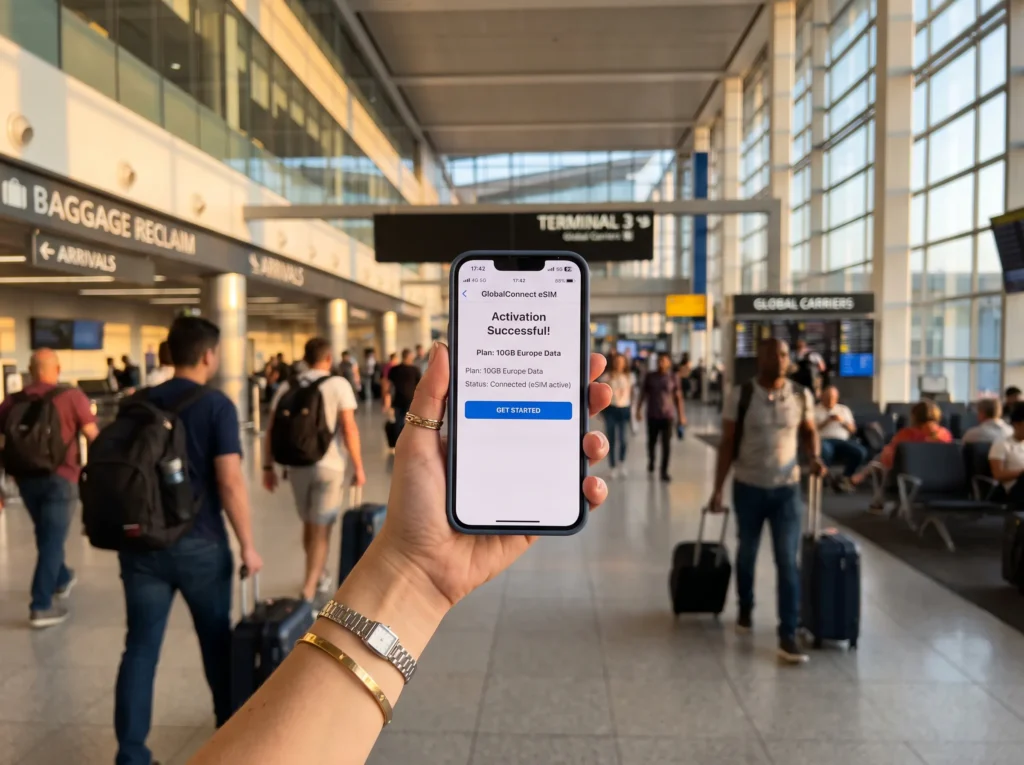
The other thing to check — and most people don’t — is offline capability. A great navigation app that requires an internet connection is nearly useless in rural Thailand or on a Greek island with no signal. Download maps, translation packs, and itineraries before you board. That single habit eliminates most mid-trip tech crises before they start.
Also worth considering: how well do your chosen apps talk to each other? The best planning apps can pull in booking confirmations directly from your email, so you’re not manually entering flight times at midnight after a connection.
The 17 Best Travel Apps, Organized by What You Actually Need
Here’s a category-by-category breakdown of the apps that hold up under real travel conditions — not just in reviews.
Trip Planning and Organization
Getting your bookings, routes, and logistics into one place before you leave is the difference between a smooth trip and an anxious one. These three apps each take a different approach to that problem.
- Stippl — The newest of the three and the one moving fastest. Stippl combines AI-powered itinerary planning, budgeting, packing lists, and a shareable travel journal in a single app. The ability to visualize your whole route on a map while tracking what you’ve spent is genuinely useful — most apps make you jump between tools to do that. Good choice if you want one app to cover most of the planning phase.
- Wanderlog — Built specifically for road trips and multi-stop itineraries, and noticeably better at that use case than anything else on the market. It pulls in booking confirmations automatically from your email, multiple people can edit the same itinerary in real time, and offline access is solid. If you’re doing a driving trip with a group, this is the one.
- TripIt — The reliable veteran. Forward any confirmation email to TripIt’s address and it builds a master itinerary automatically. It also sends real-time alerts for gate changes and delays, and includes terminal maps for major airports worldwide. Less visually impressive than the newer apps, but the automation is hard to beat for frequent flyers who don’t want to think about logistics.
Navigation and Getting Around
Getting lost in an unfamiliar city is sometimes charming. Getting stranded because your navigation app needed a signal you don’t have is not. These three cover city transit, global navigation, and hiking respectively.
- Google Maps — Still the default for most travelers, and for good reason. The offline map download feature is what makes it genuinely reliable abroad — download the area before you leave the hotel and it works without any data connection. The built-in reviews for restaurants and attractions are uneven in quality, but the core navigation is consistently accurate almost everywhere in the world.
- Citymapper — Better than Google Maps for public transit in the cities it covers. The routing accounts for real-time disruptions, shows you which bus door to board from, and tells you which subway exit to use. It’s a narrower tool than Google Maps but noticeably more precise in major cities like London, New York, Paris, Tokyo, and Berlin. If you’re doing a city trip, it’s worth running both.
- AllTrails — The go-to for hiking and outdoor routes worldwide. Thousands of verified trails with elevation profiles, user photos, and recent condition reports. The GPS tracking works offline, which matters more on a mountain trail than anywhere else. One thing most hiking guides skip: check the “recent reviews” tab for trail-specific conditions, not just the star rating — conditions change seasonally and the community updates it faster than any official source.
Connectivity and Communication
Roaming charges and language barriers cause more travel stress than almost anything else. Both are largely solved problems now, if you use the right tools.
- Airalo — The most practical solution to international data costs currently available. Airalo sells eSIMs for over 200 countries and regions — you buy a data plan through the app, install it on your phone, and activate it before you land. No hunting for a SIM card kiosk at the airport, no roaming fees, no waiting. The only catch: your phone needs to support eSIM, which most phones released after 2020 do. Regional plans covering multiple countries are often cheaper per day than buying country-by-country.
- Google Translate — The camera translation feature alone makes this worth having. Point it at a menu, a sign, or a product label and it overlays the translation in real time without needing to take a photo. Download the language pack for your destination before you leave — the offline mode covers basic conversations even without a signal. It’s not perfect for nuanced conversation, but for practical navigation it’s good enough.
Finding Flights and Accommodation
The gap between the highest and lowest price for the same flight can be substantial — sometimes hundreds of dollars on long-haul routes. These apps exist to close that gap.
- Skyscanner — The most flexible flight search tool available. The “Everywhere” destination feature is genuinely useful for travelers who have dates but no fixed destination — it shows you the cheapest flights departing from your home airport across all destinations. Price alerts are reliable and cover hotels and car rentals as well. Worth having even if you book elsewhere, just for the price intelligence.
- Hopper — Uses historical pricing data and AI to predict whether flight and hotel prices are likely to go up or down. The “wait” vs. “buy now” recommendation is accurate enough to be useful, though not infallible. The price freeze feature — which locks in a fare for a small fee while you decide — is a practical option if you’re comparison shopping across booking platforms. It’s best used as a research tool alongside Skyscanner rather than as a replacement for it.
- Hostelworld — The dominant platform for hostel bookings globally, and it’s become more useful in recent years beyond just finding a bed. The built-in group chats let you connect with other guests before you arrive, which is a real advantage if you’re traveling solo and want to hit the ground running socially. Reviews are detailed and the cancellation policies have improved significantly.
Managing Money Abroad
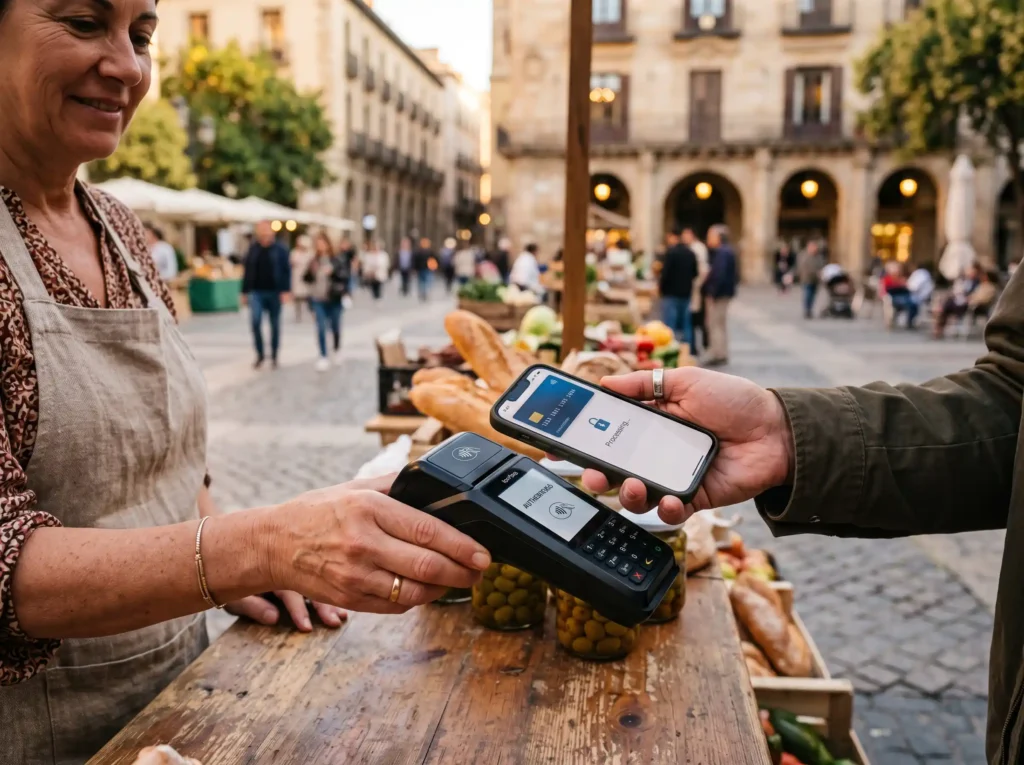
This is where most travelers quietly lose money without realizing it. Your home bank’s international transaction fees and currency conversion rates are almost always worse than the alternatives below.
- Wise — Converts currency at the mid-market rate (the real exchange rate you see on Google) with a small, transparent fee. No hidden markup. The multi-currency account lets you hold balances in dozens of currencies and pay abroad without any conversion surprises. The app’s virtual card works instantly; physical cards can be ordered before you travel. One practical tip: freeze the card in the app the moment you notice it’s missing — you don’t need to call anyone.
- Revolut — Similar core function to Wise but with a broader feature set. The budgeting tools let you set spending limits per category, the savings vaults work across currencies, and higher-tier plans include travel insurance that’s genuinely comprehensive. The split-bill feature is practical for group travel — you can divide a restaurant tab directly between Revolut users without anyone needing cash. The main difference from Wise in practice: Revolut is better for ongoing financial management across a longer trip; Wise tends to have slightly more predictable fees for straightforward currency conversion.
Tours, Tickets, and Experiences
Skipping the queue at major attractions is no longer a premium perk — it’s just a matter of booking the right ticket in advance. These two platforms cover most of the world between them.
- GetYourGuide — The largest platform for pre-booking tours, skip-the-line tickets, and guided experiences worldwide. The free cancellation window (up to 24 hours before most experiences) is what makes it genuinely flexible rather than a gamble. Tickets are stored digitally in the app and work offline. For popular sites like the Colosseum, Sagrada Família, or Louvre, this is not optional planning — it’s how you avoid spending your morning in a ticket line.
- Klook — The equivalent of GetYourGuide for Asia-Pacific travel, and often a better option for that region specifically. Discount codes and loyalty credits appear regularly, and the platform covers airport transfers, SIM cards, and rail passes that GetYourGuide doesn’t always list. If your trip includes any time in Southeast Asia, Japan, South Korea, or Australia, Klook should be on your phone alongside GetYourGuide.
Niche Apps Worth the Download
These two won’t make every travel list, but they solve problems that catch people off guard in ways the big-category apps don’t.
- Polarsteps — Tracks your route automatically in the background and builds a visual travel journal mapped to each location. After the trip, it can generate a printed photo book from everything it recorded. The passive tracking is what makes it different — you don’t have to remember to log anything, which means it actually gets used. If you’ve ever looked back at a trip and struggled to reconstruct exactly where you went, this is the fix.
- Flush — A map of over 200,000 public toilets worldwide, works offline, and tells you whether each one is free or requires payment, and whether accessible facilities are available. This is the app you’ll never think to mention when someone asks about travel tools, and the one you’ll actually remember on the day you need it.
The Real Risks of Relying on Travel Apps

Most travel app guides skip this section. They shouldn’t.
Data collection is the first issue. Many travel apps request permissions well beyond what they need to function — access to your full photo library, microphone, or contacts. Some continue tracking your location after your trip ends. Apps based outside the EU aren’t subject to GDPR protections, so the data policies governing your information may be looser than you’d assume. Check permissions before installing, not after.
Public Wi-Fi is the second issue, and it’s a more serious one than most people treat it. Using banking or travel apps on unsecured hotel or airport networks exposes your data. A VPN — a virtual private network that encrypts your traffic — eliminates most of that exposure. It’s a one-time setup that runs quietly in the background. Not having one on a long trip is an unnecessary risk.
The third issue is what happens if your phone is lost or stolen. If your passport copies, booking confirmations, and payment apps are all on a single unlocked device, a theft becomes a crisis rather than an inconvenience. Use a password manager with offline access for documents, enable a strong screen lock, and know how to remotely lock your phone before you need to.
Fake apps and phishing via QR codes are also genuinely common in high-tourist areas. Download apps only from official stores and be cautious about scanning QR codes at tourist sites that redirect to unfamiliar URLs.
How to Set Up Your Phone Before You Leave
The security habits that matter most are the ones you establish before departure, not the ones you try to implement while jet-lagged in a foreign airport.
Go through each app’s permissions before you travel and revoke anything unnecessary. Location access should be set to “while using the app” — not always-on. Download your offline maps, language packs, and itineraries while on your home Wi-Fi. Set up a VPN. Store document copies in an encrypted folder or password manager rather than your camera roll. Update your operating system and apps — known vulnerabilities in older versions are the ones hackers exploit on public networks.
After the trip, delete the apps you no longer need. Travel apps that stay installed keep running, keep requesting location data, and keep sending notifications. A clean-up after each trip is worth the ten minutes it takes.
The Short Version
Seventeen apps is already a tight list. In practice, most travelers get 80 percent of the value from five or six of them — a planning app, a navigation app, an eSIM, a finance app, a ticket platform, and Google Translate. The others are worth having depending on your specific trip.
What doesn’t change regardless of trip style: set everything up before you leave, enable offline access, use a VPN on public Wi-Fi, and keep your stack lean. The travelers who enjoy their trips most aren’t the ones with the most apps — they’re the ones who have the right ones configured and ready before the plane doors close.
Sources
- The Dream Trip
- Jetpac Global
- Stippl
- Business of Apps
- Avast
- DSN Group
- eco – Verband der Internetwirtschaft
- Reiseanalyse
- Online-Sicherheit Österreich
- Verbraucherportal Baden-Württemberg
Frequently Asked Questions
How many apps should I include in my travel app stack?
You should aim for a tight stack with one primary app per category. Carrying too many apps can slow down your phone and drain your battery, while a lean, pre-configured stack keeps things simple and efficient.
Why is offline capability important for travel apps?
Offline capability ensures you can access maps, translations, and itineraries even without a cell signal, such as in rural areas or destinations with spotty connectivity. Pre-downloading these materials before you leave prevents mid-trip disruptions.
What is the difference between Wise and Revolut in practice?
Wise is best for straightforward, predictable currency conversions using the mid-market exchange rate. Revolut offers similar currency conversions but adds broader features like budgeting limits, savings vaults, and travel insurance for ongoing financial management.
How does Airalo help save money on international data?
Airalo allows you to buy and activate local or regional eSIM data plans for over 200 countries directly on your phone before you arrive. This eliminates the need to buy physical SIM cards at the airport or pay expensive roaming charges.
What security measures should I take before using travel apps abroad?
Before you leave, you should restrict app location permissions to ‘while using the app,’ download offline resources on home Wi-Fi, and set up a VPN to secure your data on public networks. Additionally, use a password manager with offline access and enable a strong screen lock in case your phone is lost or stolen.
